Website powered by

DMC SPINNER Con't!

Work In Progress / 13 February 2020

HAHA! Man I have to manage my time better. 

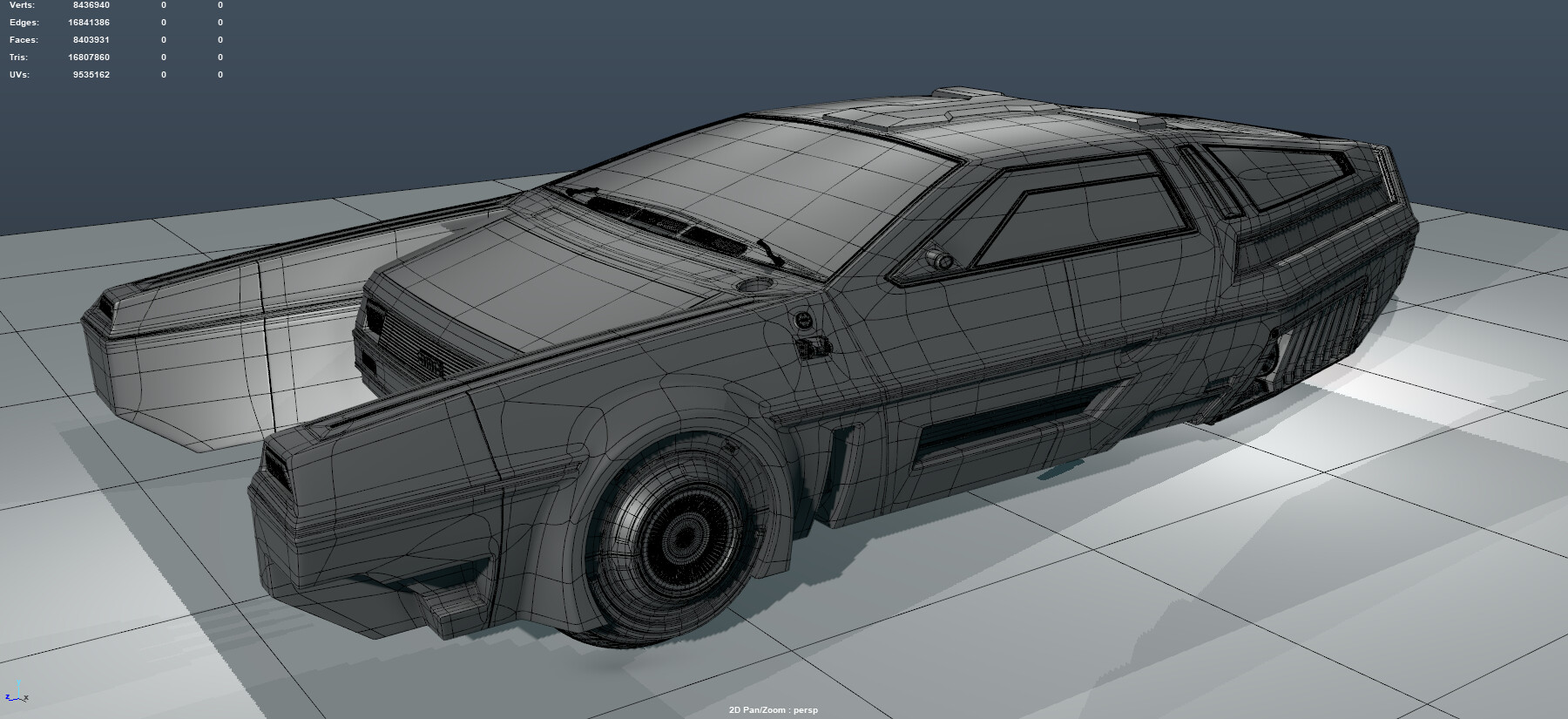
Anyways I've have been slowly knocking away at this model for some time now, but these past months I have made no progress. I guess I'm stuck on the designing state of creation. Also having little time after work to get some more progress on it. 

Again hoping these blog post give me the boost I need to finish this big personal project I want to see through the end. In the past I did live streams of me working on projects, so that might be a thing again.

Also being that this whole creation is sub - d modeling, I also think I should be video capturing for a times lapse of the process. Once the vehicle is done. 


Out of all the personal projects I never finish I don't want this one to be one of them!


Working On A Delorean Spinner Con't!

Work In Progress / 31 October 2019

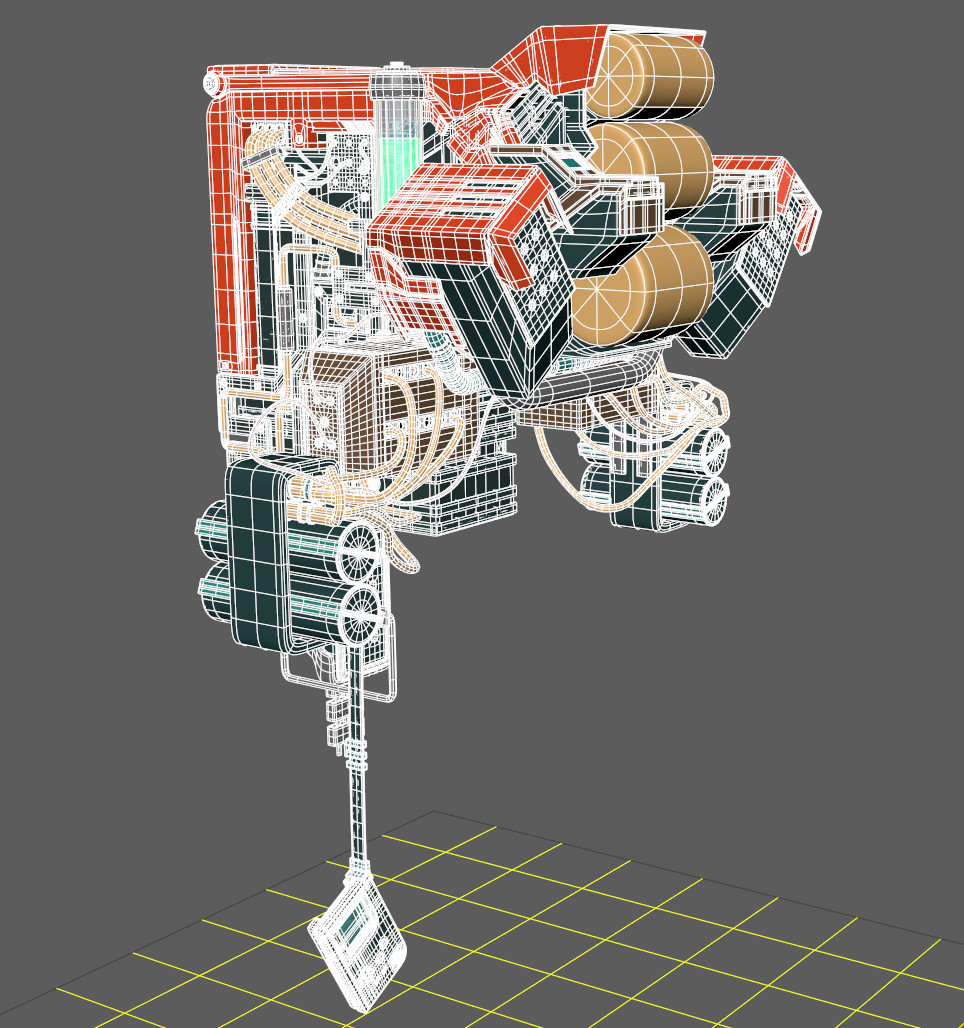
Damn. Been lacking on finishing the Spinner, looking for new work opportunity's. But I've been knocking away at the design of the bottom. Trying to model it in a way to that it will actually work like a vehicle if I want to animate it later. I also plan on designing the engine of this beast. keeping it all sub-D 


Working On A Delorean Spinner

News / 01 October 2019

I'll keep updating if anyone interested in my progress!


Progress: Large landscape in Unreal 4!

Work In Progress / 04 February 2019

Hey Everyone! I'm back again with those saucy updates on how the Unreal 4 landscape is going. I've been making slow progress because I am also currently working on other projects having to do with lots of modeling.


Again here's the concept I am working off of. The plan is to create a short cinematic shot and create all the assets from scratch.


So I finally got the landscape in unreal and I got all the shapes and forms to they're correct size from World Machine. I'm working with the largest possible size in Unreal. I know you guys can't tell from this shot, but once there's actually stuff in the environment its going to look even bigger.


I've also been trying out the particles effects in Unreal just so I can test if I'm actually going to be able to pull off the volumetric clouds and atmosphere in the concept. I think for the first pass they're looking ok.... Not something I will call done, so I will comeback to them later


I created the cloud particle with a quick graph I put together in Substance Designer. It will make it possible for me to create many variations of cloud textures for later use.


And finally the base ground materials I am going to be using for the coverage of the landscape. I'm still a bit slow when it comes to using Substance Designer so I went with a different approach when creating these tillable textures. I sculpted them by hand in ZBrush and then baked the information so I can then use back in Substance Designer. Skipping the whole long process of creating the graphs for the shapes. I mostly used Designer for the color and to adjust other maps like AO and Roughness.


That's all for now I will continue to post after I did see some comment on the last post. Let me know if there's anything I should go into more detail on.

Next Project : Large landscape in Unreal 4!

Work In Progress / 28 January 2019

Hey, Everyone! I'm back at it again with another update on the work that I am doing to better myself as an environment artist. I'm moving away from the pre-rendered environments that I have been making and I'm now tackling a fully real-time game environment. And maybe some cinematic's "Hint, hint". 


I plan to bring the bottom concept to life with all its epicness and I am challenging myself to create it all from scratch meaning no Speed Tree, Mega scans, Unreal store assets basically not talking any assets from anywhere. I will be posting my progress here to the duration of the project and any other updates that spring up! 

I found this concept online but I can't find the artist who created it. If you happen to know who made it shoot me a message and I will add the credit. Thanks!


Everything needs to start with a block out. This time I went about making it in ZBrush. I tried blocking it out in unreal but the size of the landscape made it difficult for the tools to work properly. It was way to laggy.

This part took longer than I expected. I have never created anything this big before so trying to make stuff look gigantic in ZBrush is kinda hard. My scale human I used just got lost and was about the size of a pixel when looking at the mountains zoomed out.


After the block-out sculpt was done I took it into World Machine to add some weathering and some big boulder shapes to the mountains. The output height of World Machine is what I will be using for the landscape creation in unreal.


I then created the entire scene in Maya so I can check the composition and shadows. Also, It makes modeling the ship and large structures a hell of a lot easier.


That's All I have now let me know if there's any more information you would like to know. 

Lots Of New Projects Coming! Also I have to post more to the blog.

Work In Progress / 19 January 2019

Here's a thing part of a bigger thing! Going to post more about my progress on the projects I'm working on 


Oh Yeah! And everything is being cleanly hard surfaced modeled.


Straw and Hay with Maya

General / 28 March 2018


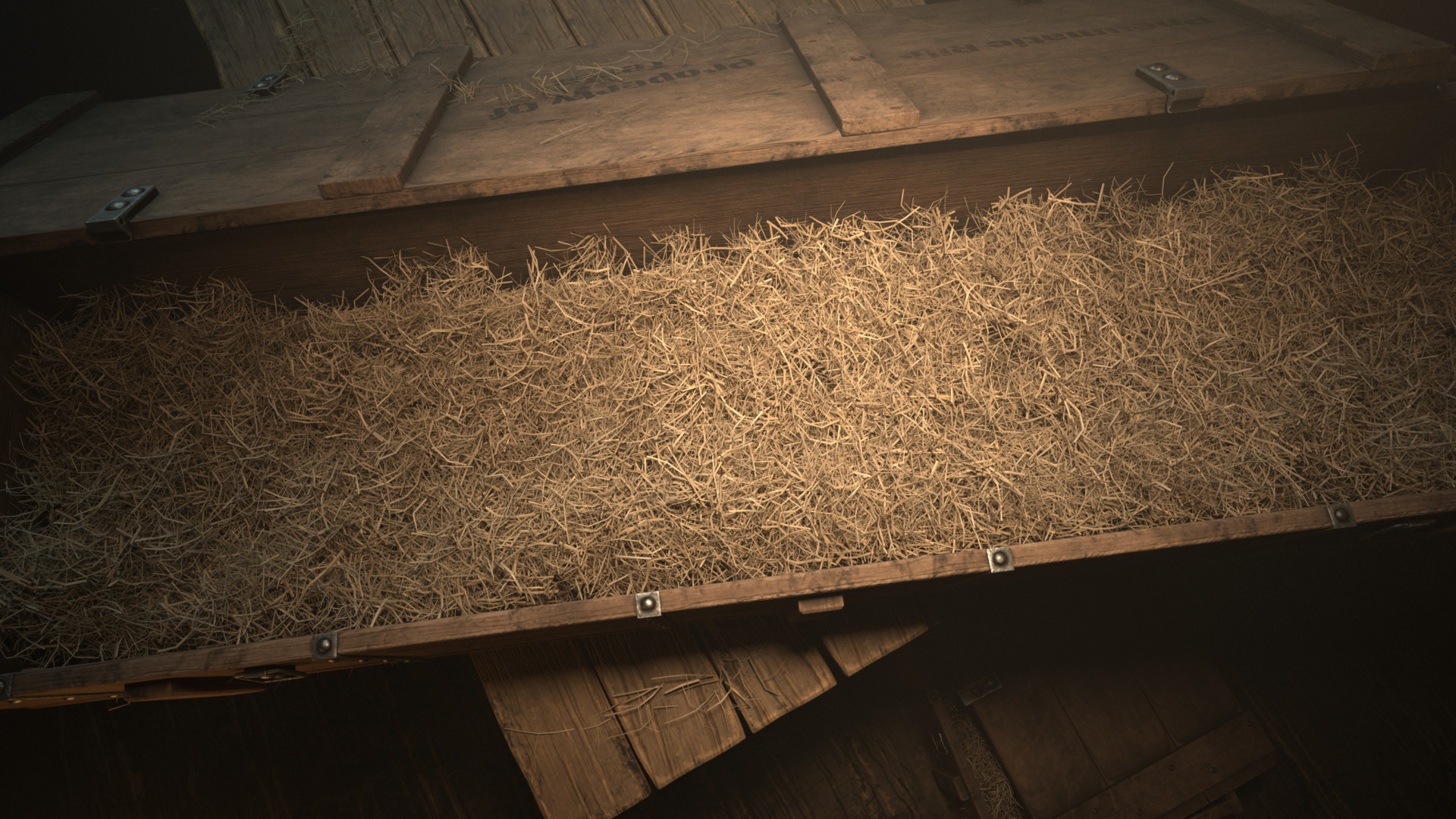
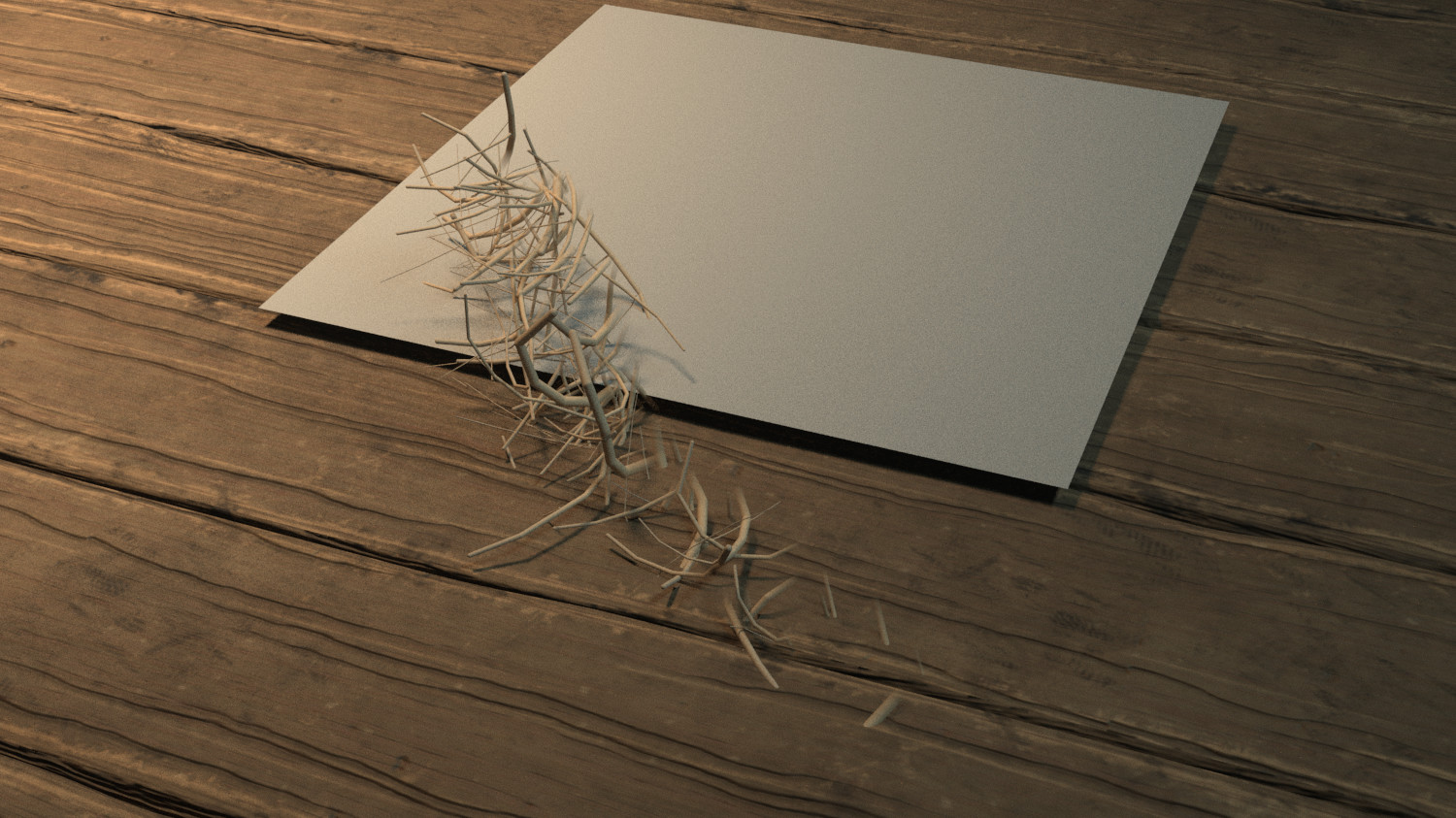
Hello fellow artists! I'll show how I went about creating the straw/hay in the crate of The Pneumatic Rifle. Many asked and here it is. I hope you find it useful.


Approaching The Straw/Hay


When the idea came to me that I wanted to place the weapon in an old shipping crate, I completely forgot the crates shipped with a straw inside of them so that the contents wouldn't be damaged during transportation. After creating the crate,table and setting up the lighting, my last challenge was to crate the straw. I have never created anything related to straw and hay so I need to find a solution. My first thought was to model the different individual pieces but I new that the out come would prove too humanely perfect and wouldn't be very efficient so I moved on to a different solution. I was Given the tip to use Maya's nhair with paint effects to create it quickly so I gave it a try. After my first pass using paint effects the results were not as I expected but with the more time I spend adjusting the options the desired look was beginning to shine through.

Creation

Creating the straw is simple but getting it the way you what it to look is the hard part.


1. Create a geometry you would like the

straw to generate from (E.g. A flat plane).    

2. Make sure the UV's are unwrapped.

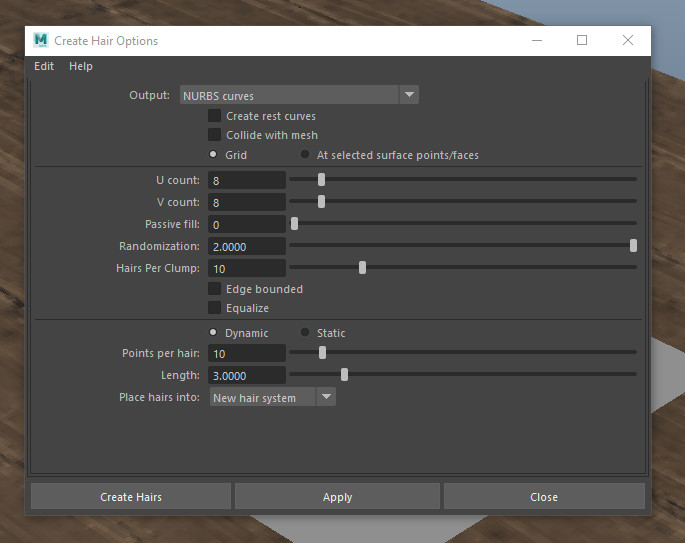
3. With your geometry selected navigate

 your way to the FX Tab -> nhair-> Create hair(Option box)

Make sure Nurbs curves is the Output. Other options and be modified to your liking.

Create Hair! 

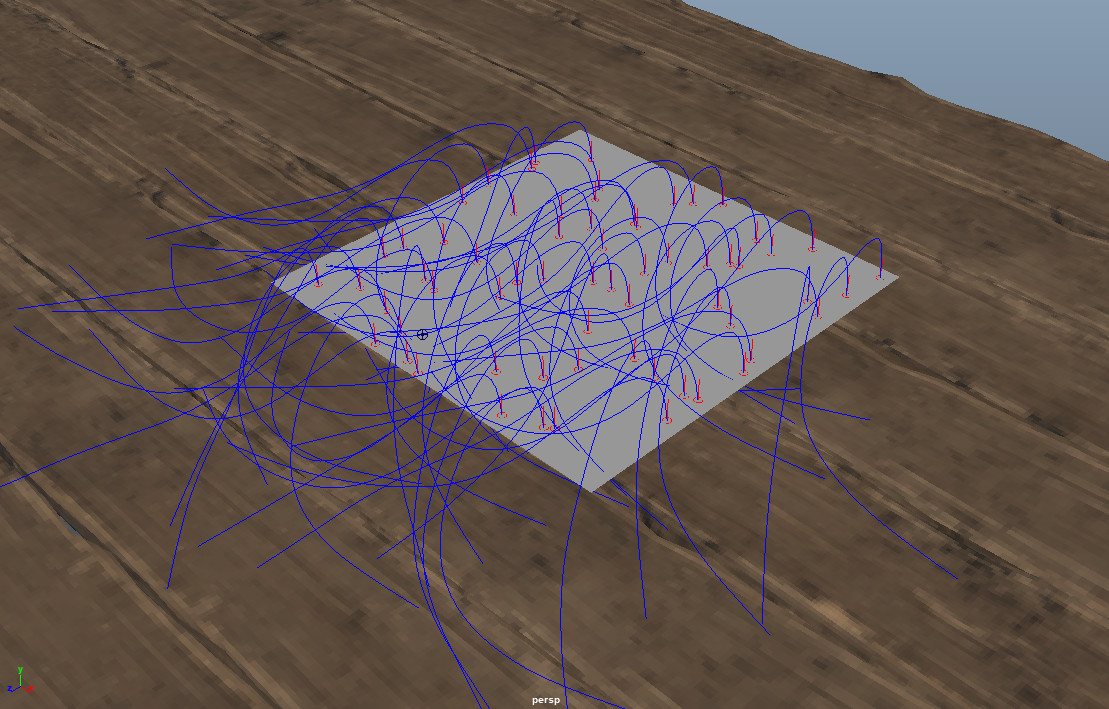
It should look something like this.

4. Add an nCloth passive collider on anything you want the curves to collide to. 

5. Tilt the geometry so that the curves can fall.

6. Play animation.

Result

7. Now select One curve to start creating your straw preset.

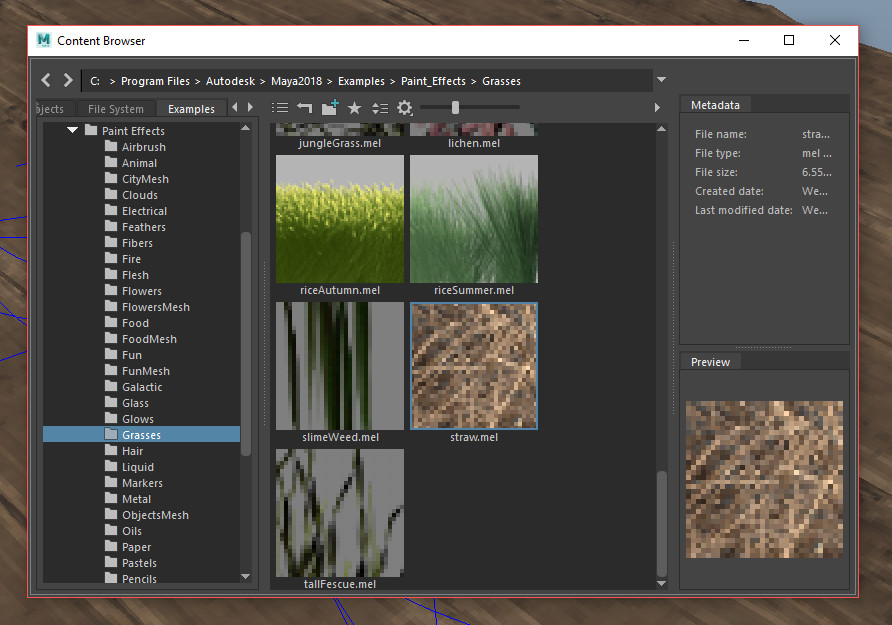
8. FX Tab -> nhair-> Get Hair Example .

9 . A new window should open. Navigate to paint effects folder -> grasses folder -> Select straw.mel.

10. Now go to Modeling Tab -> Generate -> Curve Utilities -> Attach Brush to Curve.

The newly generated straw looks like noodles so lets change that.

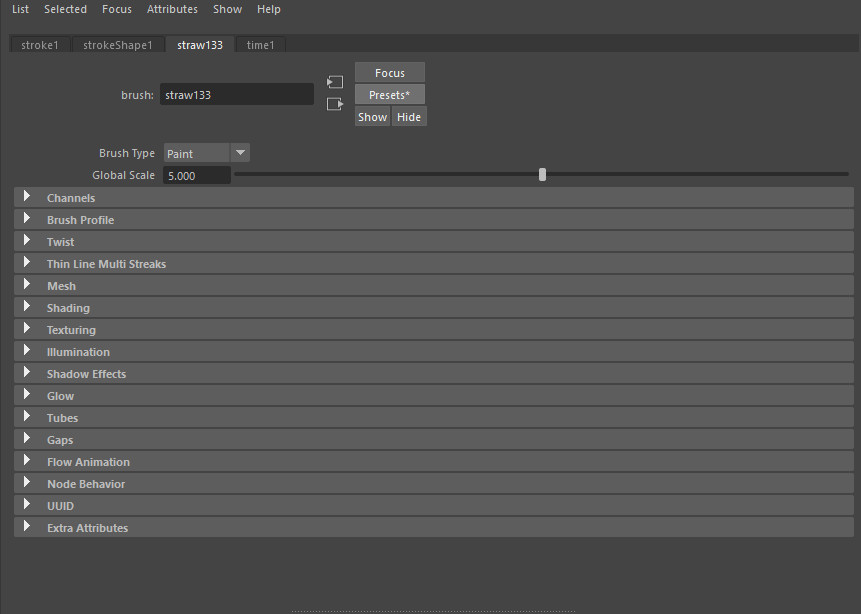
11. you can find the setting in the straw tab inside the attributes.

12. I first added some flatness in the brush Profile tab, to give it more or a compacted look.

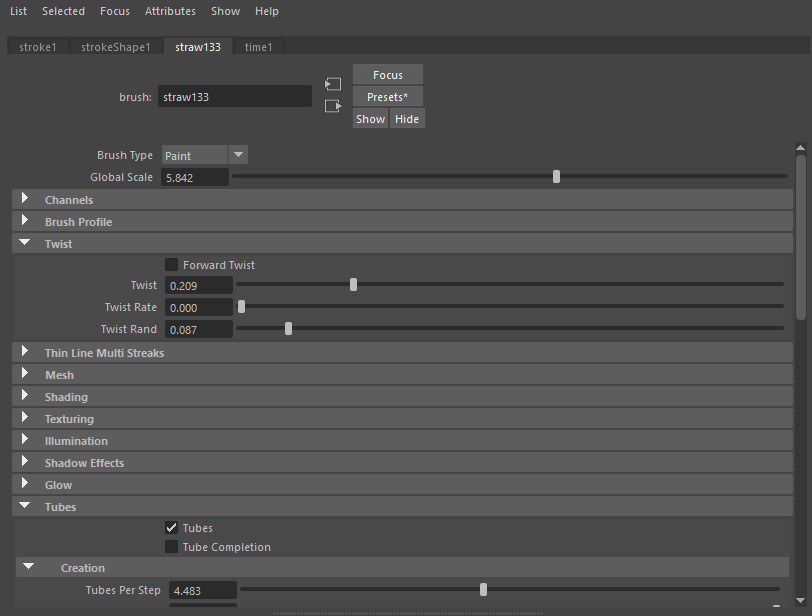
13. Moving on I added some twist.

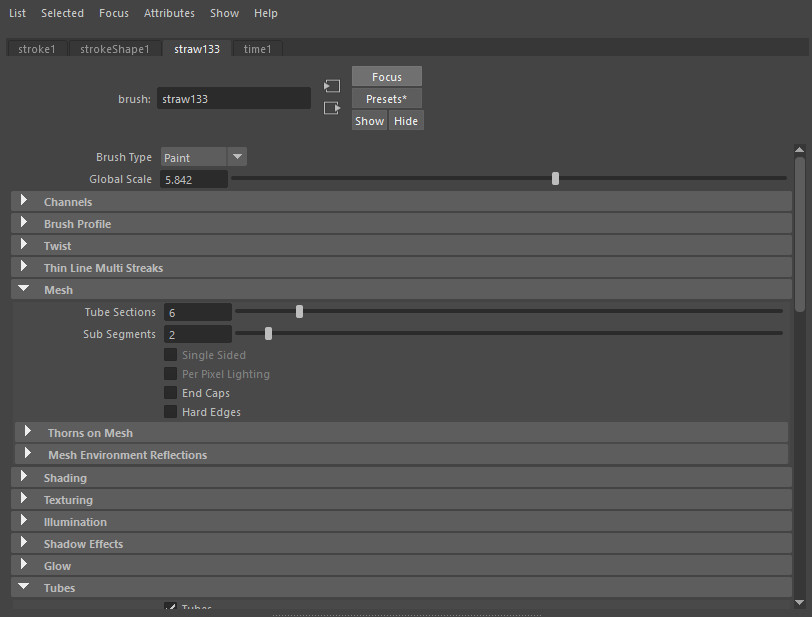
14. lowered some setting on the mesh to get some more bend.

15. Made some changes to some small setting in the creation tab.

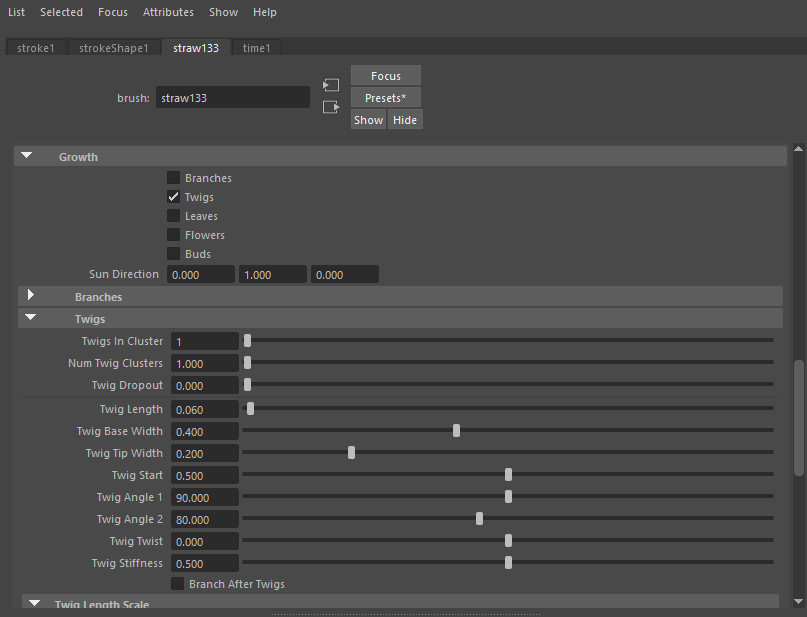
16. Added some Twigs in the Growth tab and messed with they're setting to get the look I wanted. 

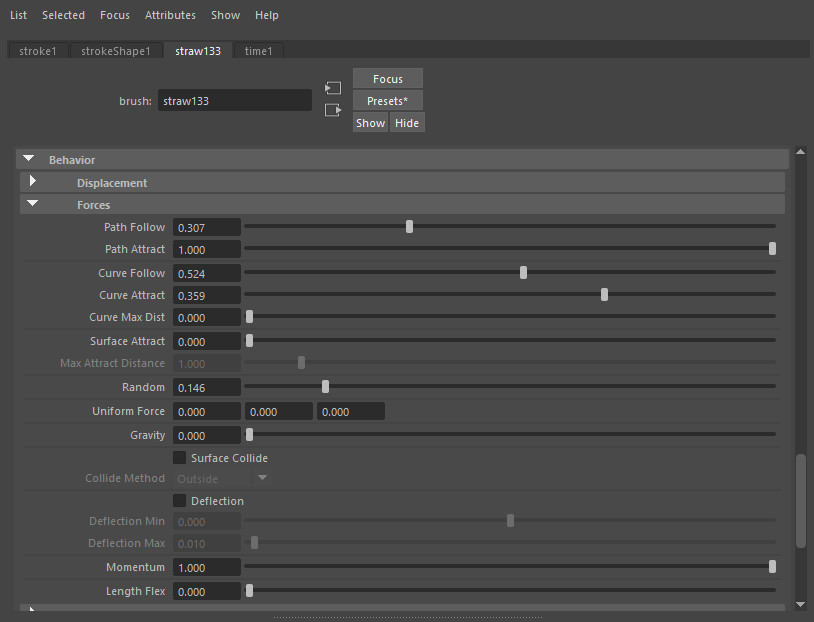
16. In the Behavior tab I changed up the forces to give it some more randomization.

17. And last but not least some more Behavior settings. 

The straw should now look something like this. (V-Ray Render)

Save the straw as a preset if desired.

18. Now select stroke1 in the outliner then Navigate to Generate -> Get setting from selected stroke.

19. Now select all the curves and Navigate to Modeling Tab -> Generate -> Curve Utilities -> Attach Brush to Curve.

Now you have a bunch of straw!
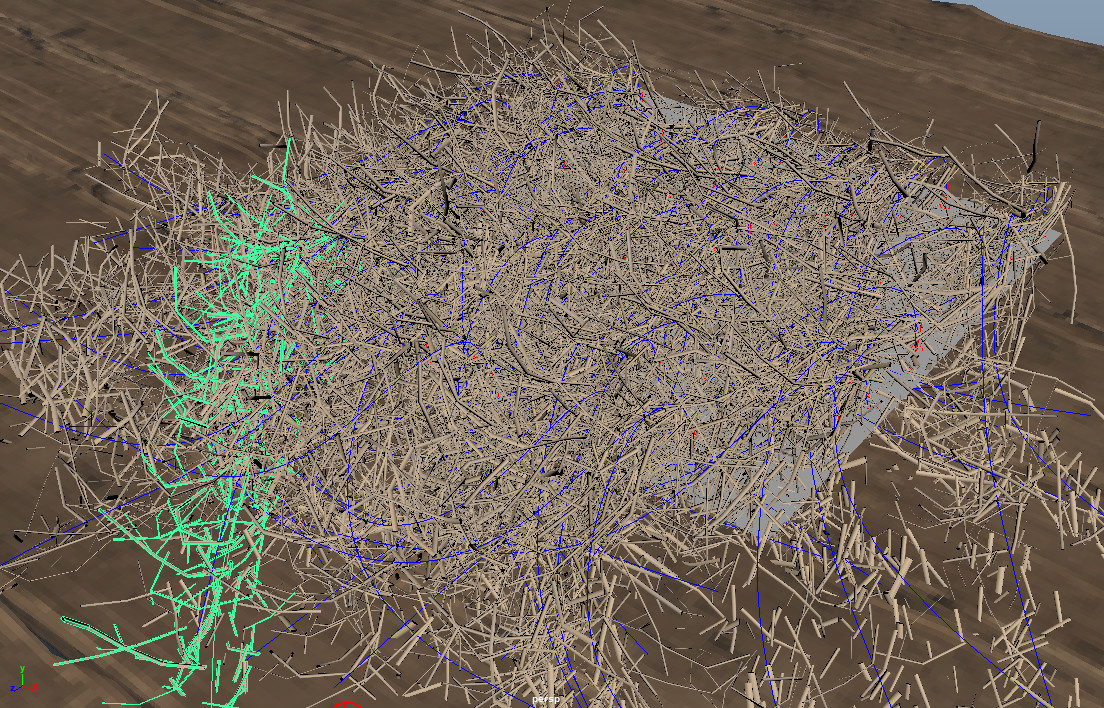
Time To Convert to polygons.

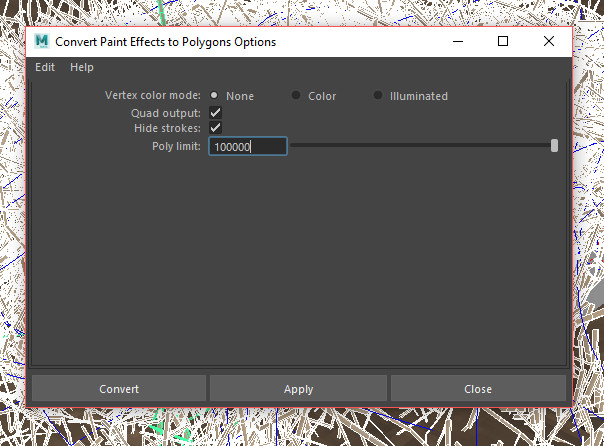
20. Select all your strokes and Convert Paint Effects to Polygons


And congratulations you are done!

This is the final results.


Share these tips with your peers I'm sure they will appreciate it.

"Teach Me How To Swim" Breakdown Coming Soon!

General / 11 March 2018

I've been wanting to do a breakdown of one of my projects for some time now and since my Project "Teach Me How To Swim" Has recently been featured on Gnomon School's Best of term. And now I think that some people have interest in how a new comer to Maya can create a 3D environments that tell story and create mood that push the scene further.

This is not a tutorial!


Starting Up The Website

General / 08 January 2018

So I Finally got around to starting up my website. Using ArtStation's website building tool is very easy to do. All you have to do is prep your assets and make sure everything is optimized. I made my website so I can have a place to share my artwork and other projects in a cleaner more organized way.

Now that I have a website I'm taking advantage of the option to write blogs and other pages, so I can keep track of my work and progress I make to better myself as an environment artist. I will also share breakdowns of some of my projects to give some insight on how I tackle and complete a project.